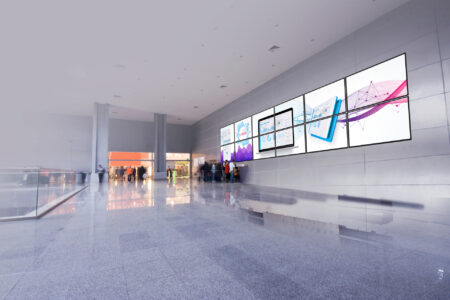
ZyPer4K lets you put multiple sources on one screen – from LED walls to control-room displays then save and recall those layouts fast. It runs over 10Gb with standard switches and is managed through the ZyPer Management Platform (ZMP), built for integrators and IT.
December 17, 2025
10 Multiview Must-Haves for Better Video Walls

About the author:

Art Weeks
Product manager | ZeeVee
What’s the difference between multiview and a video wall? Multiview puts multiple sources composited on one display or LED canvas. A video wall is multiple displays acting as one big canvas. You can run multiview on a video wall, but each solves different problems. From sports bars to stadiums to control rooms, campuses, retail walls, esports, stages and more – the win isn’t more screens, it’s better layouts. This quick list is your gut-check for when one canvas has to do many jobs.
1. Custom Sized Multiview For Custom Walls
LED canvases aren’t always 16:9. Design from the actual pixel map. Multiview platforms that drive custom resolutions natively keep type crisp and layouts true on 21:9, 32:9, and odd-pitch DV-LED.
2. Max Sources For Max Options
How many windows do you need at once – today and on your busiest day? Some platforms support up to 19 sources on a single canvas. If that matters, make capacity and readability part of the spec and test at full load on the actual screen. Other technologies top out at 4-6 sources and may require additional hardware.
3. 10 Gb When Motion Matters
Compressed 1 Gb networks can lower switch costs; 10 Gb, uncompressed, paths tend to preserve motion detail and reduce delay. Decide with math: screen size, viewing distance, frame rate, motion detail, and how many tiles you’ll composite.
4. Latency That’s Not Laggy
Side-by-side motion exposes delay in a way spec sheets don’t. Put two live feeds next to each other and you’ll feel any delay instantly.
5. Ready. Set. Go. Preset Layouts
Stop building from scratch. Start with built-in presets – grids, L-wraps, 2 over 1, and more – then drop in sources. Positions stay consistent and changes feel instant. Some products include a preset library of layouts of up to 10 so you’re productive on day one.
6. Design With Layers For Customized Looks
Use background and overlay layers to tailor the look – picture-in-picture, frames, and clean spacing – without extra hardware. When you need more than a grid, choose platforms with a design layer and floating windows so L-wraps, tickers, ultrawide side-by-side, and similar looks are standard.
7. Drag & Drop Convenience
Look for platforms that allow you to build layouts by simply dragging video sources onto tiles.


9. Network Switch Agnostic
Choose a platform with a proven track record across complex, mixed-switch environments. Look for clear design guides, configure multicast with ease, and tools that make setup and troubleshooting straightforward.
10. A Partner That Does The Heavy Lifting
Pick a product from a manufacturer that gets involved early with both AV and the network. From design to implementation, the right manufacturer (and integrator) maps signal flow, switches, plans VLAN/multicast plans and shapes the canvas, builds presets, tests with your actual feeds, trains the team, and validates stability.