October 21, 2021

Kramer partners with Zignage to create instant alerts management solution
Jerusalem, Israel, October 21, 2021 – Kramer Electronics Ltd. has partnered with Zignage LLC,  a US-based mission-critical digital signage provider, to bring to market an extensive emergency notification solution, integrating with the Kramer VIA and Kramer Control platforms. Designed specifically for education and enterprise markets, classrooms, and boardrooms, this all-in-one solution will enable critical information in a visual format to reach a large aggregation of students and workers.

This solution will help manage hybrid campuses and workplaces and to escalate alerts in all existing and new displays used for content sharing.  The solution is integrated with any established emergency management systems and propagating alerts in areas that can’t be reached. The Kramer-Zignage solution enables the display take-over in the classroom or boardroom where emergency alert systems have no ability to do so and alerts students/workers that an emergency is in process. 

Aviv Ron, Vice President, Corporate Development and Strategy at Kramer;

“We are very pleased to announce our partnership with Zignage. The combination of our wireless sharing and collaboration product line with Zignage software will provide corporations and educational institutions with extended safety features and a seamless way to instantly update the content on digital displays aside from core audio information.

This will also help businesses to further advance hybrid ways of collaborating. Connecting physical technology to the digital world through services like Zignage’s expands the capabilities of the Professional AV systems to include digital signage and wayfinding options, in addition to content sharing and video conferencing features.”

The solution includes a generic Common Alerting Protocol (CAP) alert capability with an ability to preset trigger sequence, beyond any on-premises specific solution that an existing emergency alert system does. It enables organizations to comply with Federal Emergency Management Agency (FEMA) and National Oceanic and Atmospheric Administration (NOAA) alerts to be completely automated and have it engaged with a designated user acting as a role-based approver, rather than the initiator of the message/alert.

 Alex Epshteyn, Zignage CEO comments;

“Now more than ever, schools and universities are seeing the value in being able to quickly and efficiently share important information through emergency alerts. We have seen a sharp increase in enquiries about safeguarding technology and software and are honored to be working with Kramer to bring more innovative and reliable solutions to the market. 

Our collaboration with Kramer to integrate into technologies being rapidly adopted by the education sector creates a cost-effective and reliable solution to transform ordinary displays into digital signage and wayfinding beacons.”

The partnership with Zignage is one of many recent collaborations Kramer has announced with industry-leading technology providers. Kramer’s growth strategy is based on delivering the ultimate complete solutions to its customers in key vertical markets. These complete solutions are achieved by Kramer’s continued investments in its research and development, to enhance its core products for specific environments, as well as by partnering with specialty companies who provide unique capabilities, smoothly integrated into Kramer solutions.
Tags:

Education

Enterprise

Retail

Collaboration Applications

Control

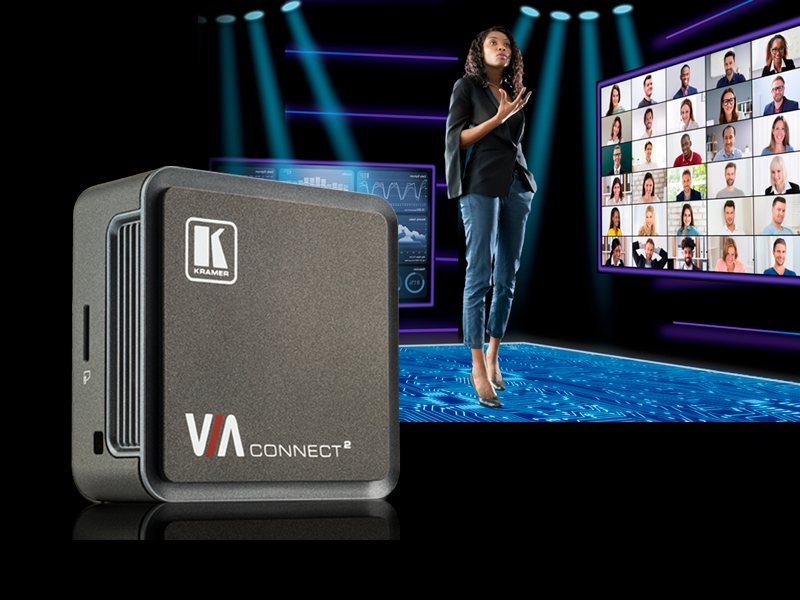
Jerusalem, Israel, August 17th 2021  Kramer is extending its popular VIA family of sharing and collaboration solutions with the launch of VIA Connect2. This newest VIA is designed to facilitate hybrid meetings and learning in the Hybrid Generation (“Generation H”) for the enterprise and education markets. With its ease of use and enterprise-level security, VIA Connect2 enables infinite ways to engage, letting you turn any room into a collaborative space.

Since 2020, much of the global workforce has been working remotely. VIA Connect2 provides businesses and organizations the flexibility they require for employees, clients, and consultants to engage with one another, collaborate, and maintain productivity in hybrid work environments. School districts and universities have a similar need to create smart, wireless hybrid education classrooms for in-class and remote learning to strengthen student participation and engagement.

VIA Connect2 creates one Unified Communications & Collaboration (UC&C) experience, with flexibility for wirelessly sharing, engaging, and collaborating. Anywhere, from any device, with industry-leading videoconference platforms. With a wired HDMI input for automatic switching to an in-room 4K or HD display.

Users can Bring their Own Meeting (BYOM) either using built-in VIA apps for mobile and desktop, or app-free over local networks via AirPlay® and Miracast® for a fast and touchless connection. Once paired, every meeting and class benefits from the VIA Connect2s ability to add professional in-room AV equipment via USB. This flexibility includes adding displays, cameras, microphones, speakers, and more, delivering the best AV performance for in-room and remote participants. Alternatively, the Teams™ or Zoom® client can be launched with one click directly through VIA Connect2.

Simple, flexible, and secure, VIA Connect2 is designed for Generation H.  It enables any Windows®, Mac®, Chromebook™, Android®, or iOS® device to instantly and wirelessly join a meeting or class with enterprise-grade security. In the office, remotely from home, in transit, or on the other side of the world.

Like the entire family of VIA solutions, VIA Connect2 can be centrally deployed, managed, and configured using VIA Site Management (VSM). This advanced software management platform enables IT administrators and integrators to maintain hardware remotely via the cloud or through on-premises networks.

Tags:

Education

Enterprise

Collaboration Devices

Jerusalem, Israel, June 29th, 2021 – Kramer Electronics has acquired Wow Vision Pte, a wireless collaboration software development company, through the purchase of the remaining 50% of the outstanding shares of the company.

“We are incredibly excited that Wow Vision and its talented team of software engineers have joined the Kramer family,” says Gilad Yron, CEO of Kramer.

“This acquisition will strengthen our R&D capacity and enable us to continue accelerating Kramer’s growth, especially in the strategic areas of networked software-based solutions, collaboration, unified communication, and cloud technologies. It also demonstrates our ongoing commitment to investing in innovative technologies that offer our customers and partners better and smarter automated solutions to collaborate, share, and communicate in hybrid working and learning environments.”

Yuval Cohen, the Managing Partner of Fortissimo Capital, and Chairman of the Board of Kramer, added: “Kramer’s growth is fueled by innovation and our ability to develop the best solutions in the market. Kramer continues to invest in technologies that will further enhance its leadership in providing solutions for the rapidly changing environment for how people communicate, work, and study.”

Tags:

Education

Enterprise

Collaboration Applications

Collaboration Devices

Background

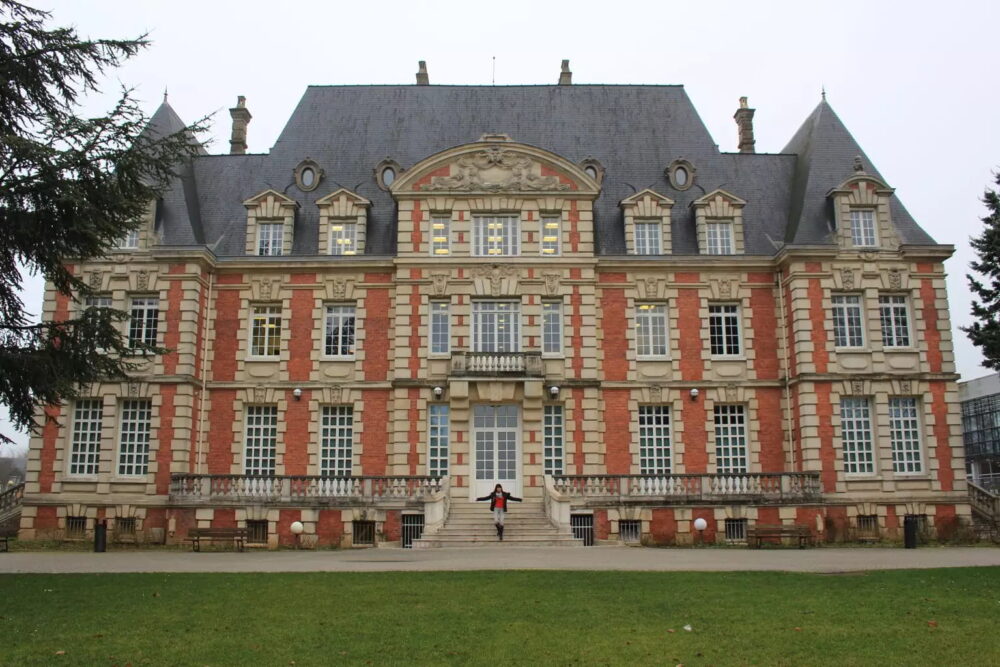
NEOMA Business School wants to position itself as an innovative challenger to the world’s leading business schools. The school is divided into three campuses in Reims, Rouen, and Paris. It currently offers over 9,000 students an extensive portfolio of programs ranging from marketing and communications to accounting, finance, and management.

Goals

For several years, one of the keys to NEOMA Business School’s development has been the Experiential Education Project (ExE Project). To carry out this project, there is a need for educational tools to allow both theoretical and practical learning approaches in the same place.

Solution

In 2019, the school installed two augmented learning rooms, one on the Reims campus and the other in Rouen. The audio-visual equipment is organized around Kramer’s VIA wireless gateways and Kramer Control interfaces.

In each room, a wireless-based exchange and display system has been set up on nine workstations that can accommodate six students each, with a room broadcasting solution on four central screens, all controlled by two touch screens.

The different workstations are equipped with the VIA GO solution and RC-306 keypads. Two VIA Connect Pro units are used for broadcasting in the room without the workstations.
The SL-240C controller and two KT-107 touch panels allow the Kramer Control solution to manage the room. A central rack accommodates a VS-1616 matrix switcher, which manages the HDBaseT distribution of video streams, as well as all the VIAs and the IP network part. And the software application VIA Site Management is used to manage all the VIAs on both sites.

Value

The two classrooms are a great success, with the professors competing to book a slot in the calendar to use them. Realizing the innovative possibilities and pedagogical opportunities offered by the AV-equipped classrooms, many professors have also revised the format of their lessons accordingly, enhancing the pleasure of learning and the overall quality of the learning experience.

Excerpted from an article by Pierre-Antoine Taufour published in Sonovision (with the author’s permission) https://sonovision.com/neoma-business-school-choisit-les-passerelles-via-de-kramer/

Tags:

Education

Collaboration Applications

Control

Signal Management

EMEA

France

Got a question for one of our AV experts? Contact us here, and we’ll connect you.

Jerusalem, Israel, September 22nd 2020 – Kramer launches the latest version of its advanced wireless presentation and collaboration platform, VIA 3.0

Representing the changing needs of the market, the software update prioritizes features including a new modern and intuitive UI/UX, improved VC support, and increased security.

The VIA 3.0 software update features a refreshed user experience and interface across all VIA platforms including the web portal and client applications. The intuitive layout is optimized to enhance user workflows across new meeting needs, such as remote working and hybrid learning scenarios.

Integrated with Kramer VIA Versa functionality, participants can drive a meeting from their own device. Launching on their laptop their preferred video-conferencing session from Zoom™, Teams™, or Google Meet™, users can seamlessly and wirelessly connect and control the in-room devices, including microphones, speakers and other video conferencing AV peripherals.

VIA Versa has now been added to the VIA Campus models of the family and has been enhanced with additional audio and video selection options for higher flexibility. 

VIA makes it simple to livestream sessions to all the leading platforms, like YouTube™, Kaltura™, and Panopto™. Educators, as well as presenters, enjoy all the benefits of VIA’s full suite of advanced collaboration tools, while in-class and at-home participants enjoy an unparalleled immersive experience, ideal for the Covid-19 era, thanks to the new RTMP/RTMPS protocol support out of the VIA box. 

Looking at the back end of the system, VIA Site Management (VSM) has also been revamped to offer a new user experience, with a lot of great additions for easier and faster VIA device configuration and supervision. Much focus has been put on redesigning the Digital Signage module which now offers the simplest scheduling of dynamic content, intuitive drag-and-drop usage, and a more visual orientation – guiding the user through the experience, highlighting key steps and interactivity points.

Introducing VIA GO2 

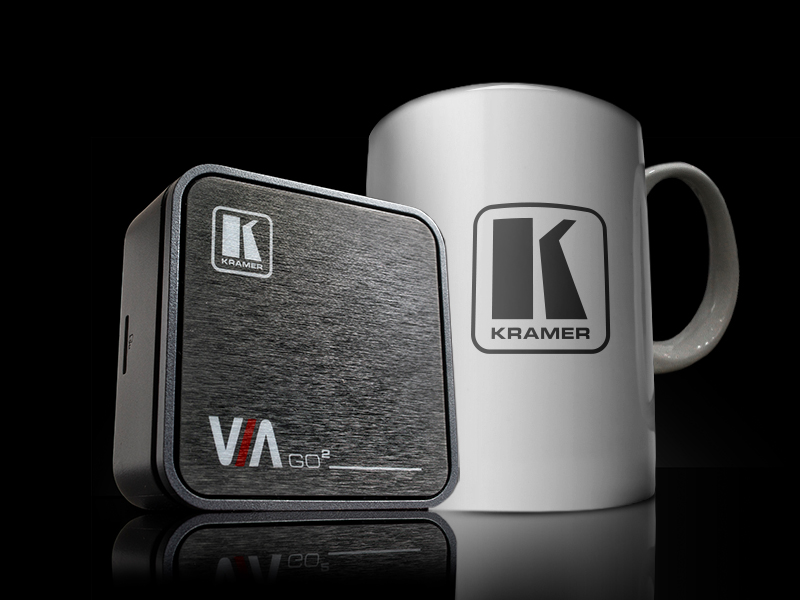
In addition to the VIA 3.0 software updates, Kramer has also just launched VIA GO2, replacing its existing VIA GO. The ultra-compact VIA GO2 packs a powerful 4K HDMI output and secure content sharing and is the smallest wireless presentation device available, perfect for hidden installation behind displays. 

Easy wireless sharing is enabled from any device by using either the VIA app, a web browser such as Chrome™ or FireFox™, or simply using standard Miracast or Airplay protocols, directly from the built-in wireless capabilities of the VIA device.

The Move to VIA Site Management on Cloud 

Configuration and connectivity for all device and platform management have also been moved to the cloud through the introduction of VSM on Cloud. This maintains the same great features of being able to monitor and manage multiple VIA devices simultaneously from a centralized location. No VPN is required when having devices spread over different physical locations or different networks, offering an optimized solution for global deployments. The move from a server to the cloud removes the requirement to host a local server in the customer’s data center and is a more cost-effective option for businesses.

These updates are focused on improving the user experience for hybrid learning and remote home working, making engagements online, optimizing touch-free interactions in the workplace, and enhancing productivity through advanced connectivity solutions. Providing a cost-effective and scalable solution ideal for upgrading any meeting, educational, or training space with new levels of user experience, simplicity, and productivity.

Tags:

Education

Enterprise

Collaboration Devices

Quote Icon
“We are putting the VIA units everywhere possible. It is awesome. Rock solid. Kramer is our solution for wireless video.”
Sten Swenson | Director of Academic Technology Services, UNC School of Medicine

Background

UNC School of Medicine’s mission is to be the nation’s leading public school of medicine.  Located in Chapel Hill, NC, the school is committed to scholarship and the scientific medicine of the present and future.  It offers education, research opportunities, and patient care.  Its 1,600 faculty members and just over 2,000 staff members rely on the School of Medicine IT to provide personalized and innovative IT solutions that support education, research, and patient care and empower students, faculty, and staff to move forward by integrating technology into their everyday lives.

Goals

The customer wanted to upgrade and standardize all AV spaces across the School of Medicine. The system needed to be advanced with reliable technology, easy to use, and integrated throughout the campus. According to Sten Swenson, Director of Academic Technology Services at UNC School of Medicine, the system also had to support the specific applications used by the medical students. “The UNC School of Medicine has a 1:1 ratio of iPads to students, and the apps are highly curated for the medical students’ curriculum,” he said.  “It is a challenge to find a system compatible with all of our use cases, but Kramer checked all of the boxes and has been a reliable solution.”

The Solution

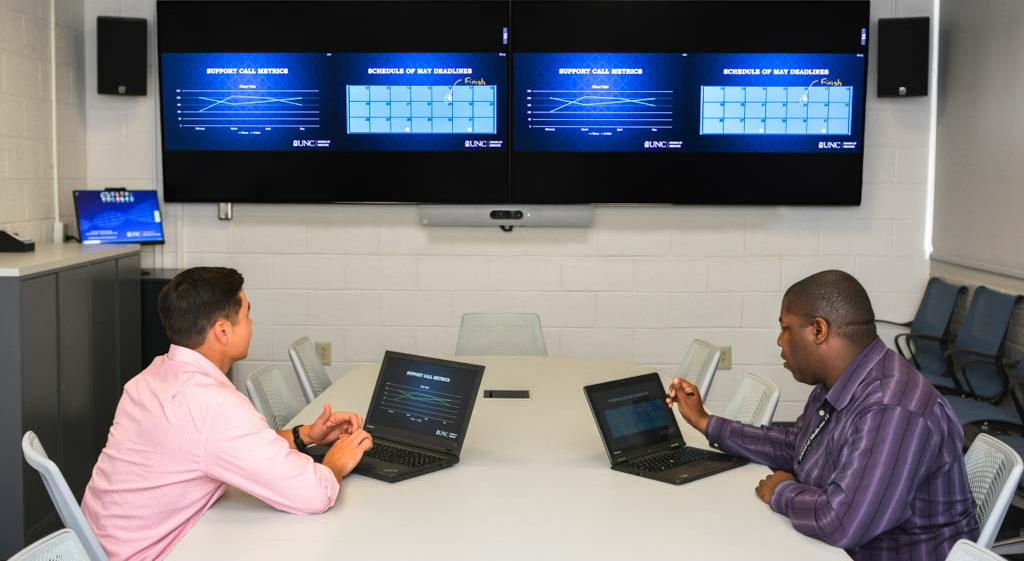
Two of Kramer’s wireless solutions, the VIA GO and VIA Connect PLUS stood out from the pack when the UNC IT team received demonstrations from potential electronics partners.

“After seeing demos from all of the competitors, we concluded that Kramer was the best technology at a good price point, and it had the right features – the ability to present multiple screens of video at once is an added bonus,” said Sten Swenson.

Our Challenges

The installations have gone smoothly, and UNC has recently made a change to allow video sharing from the Guest network as well, which was a key requirement. UNC is also in the process of setting up the software management solution VIA Site Management (VSM) that Kramer offers for enterprise maintenance and configuration.

Value

UNC School of Medicine liked the Kramer VIA wireless technology so much that the IT group recommended installing it in all the classrooms and meeting rooms on campus.  They went from 0 to over 75 units in one year, installing over 75 separate rooms with either a VIA GO or VIA Connect PLUS; simpler wireless-only VIA GO units integrated into classroom systems and VIA Connect PLUS units which offer an auto-switching wired option for simple and reliable conference room solutions.  The IT conference room itself features VIA GO as the only way to connect video – usually a risky practice. “I always want to have a wired backup,” Swenson commented.  “But the Kramer technology is solid enough that it doesn’t require a wired option. I have no regrets about not adding a wired backup.”

The IT group plans to do a training program for students and faculty on the flexibility of the VIA Connect PLUS, and Swenson says they are putting the VIA units everywhere possible.  He said the conference room system has been working beautifully. “It has been awesome. Rock solid. Kramer is our solution for wireless video.”

Tags:

Education

Collaboration Applications

Americas

United States

Got a question for one of our AV experts? Contact us here, and we’ll connect you.

Hurst-Euless-Bedford ISD makes teaching and learning more interactive, with Kramer technology

Quote Icon
“I’ve got a centralized server, I can administrate, monitor, and troubleshoot every Kramer device from my own desk using Kramer’s VIA Site Management Software.
Shawn Finch | Network Engineer, HEB I.S.D

Background

Established in 1958, the Hurst-Euless-Bedford Independent School District (HEB ISD) spans 44 square miles, encompassing the three adjacent cities of Hurst, Euless, and Bedford in the Dallas-Fort Worth area of Texas. Serving more than 24,000 pre-K and K-12 students and more than 3,300 employees, the district currently comprises 20 elementary campuses, five junior highs, and four high schools. In addition to its classroom-based facilities, the HEB ISD has seven buildings that house administration, athletics, and a maintenance complex. Fast growth over the past five years has seen a six percent increase in enrollment, or just shy of 1,300 students. Two new educational campuses are now under construction to accommodate this influx.

Nearly 20 years ago, a redundant, currently 20Gb, fiber optic network was installed throughout HEB ISD setting the stage for today’s advanced AV over IP technology solutions. Until two years ago, the only technologies in the classrooms were SMART Boards, document cameras, and interactive projectors.

Goals

For over a decade, Vikki Durham, an Instructional Technology Support Specialist, has worked on location with teachers, students, coordinators, and administrators to integrate technology and train staff across the district. According to her, when she started as a teacher at HEB ISD 30 years ago there was “absolutely no technology other than a TV, a computer, and a whiteboard.”

To help understand the changing technology needs of teachers and administrators, a district-wide survey was conducted. Results from the study were used to set goals and expectations from the district’s leadership who stated that “they wanted the teachers to be up out of their desks and integrating and communicating and collaborating with the students – actively monitoring,” says Vikki.

To keep students and teachers alike engaged, the district had to find a secure, robust solution allowing maximum mobility. Vikki was hopeful that this would meet real teacher needs, saying, “A lot of teachers didn’t like being in the front of the room. Some teachers wanted to be in the back of the room and some teachers wanted to be in the middle of the room.”

Quote Icon
“They wanted the teachers to be up out of their desks and to integrate and to communicate and collaborate with the students – actively monitoring.”
Vikki Durham | Instructional Technology Support Specialist, HEB

Solution

1,633 Kramer VIA GO units were installed in classrooms across its 36 buildings, to allow teachers to actively engage with students and wirelessly share content onto the projection surface in the classroom.

Flexibility, scalability, and affordability were key requirements for making this choice, according to Shawn Finch, the Network Engineer who oversees HEB ISD’s massive technology infrastructure, as he was evaluating competitive products. “With a district as large as HEB, it was completely unacceptable to have to configure each device one at a time,” he says. “Kramer has this centralized enterprise server and all the VIA GO’s phone home to it, so when I need to make a change, I can go to one place and I make the adjustments for an entire school, or multiple schools, or the entire environment at once. ”

Beyond the benefit of working on a centralized system, the district also needed a solution that would live up to its secure wireless network. “We require an SSL certificate. We require usernames and passwords. And many of the competitors’ boxes felt more like they were made for small offices and home use.” According to Shawn, the Kramer VIA GO difference was that “It was able to handle our enterprise-class wireless security settings, and in addition to that, it has an Ethernet port. The benefit to that is it connects to both at the same time, so we can have a physically wired cable in the back to provide very reliable network connectivity.”

Technological advantages aside, for HEB ISD, there remained the simple fact that across the long-term Kramer’s price point for VIA GO fell far below its competitors. “We also needed to be looking at price to make sure it was something that we could afford over a period of time,” Vikki highlights. “Kramer filled that niche too because it provided us with a hardware opportunity that probably would last longer and you didn’t have to get a subscription associated with software licenses.”

Value

Using VIA GO teachers can untether from their central docking station and move freely throughout the classroom while presenting materials from their own devices and actively interacting with students. “The student Chromebooks have the ability to mirror the projector as well, and so you could have the teacher on one side with, say, a problem that had not been solved,” says Vikki. “A student could project up there alongside that teacher and solve the problem where the whole entire class could see it.”

Kramer’s VIA GO also provided HEB ISD with a solution compatible with a diverse array of operating systems. According to Vikki, “Some of the competitors could handle Apple devices and PCs but couldn’t handle Chromebooks. Some of them could handle Apple devices and Chromebooks but couldn’t do PCs. This is the only one that we’ve been able to find that would allow us to use all of our platforms.”

The accompanying VIA App software also solves the problem of multimedia playback on an already-congested network. “We used to roll an entire cart of 30-plus computers into a classroom when the teacher wanted to play a video,” says Shawn. “But what Kramer’s developers did that was very clever is they allowed you to stage your multimedia content on the app, and then when you’re ready to play it, it tells VIA GO to get it for you.”

The VIA GO units also have the benefit of being wall-mountable, which is especially helpful in a classroom where expensive equipment could be easily damaged. “You know a kid will step on them and they’ll get crushed,” Shawn explains. “We wanted these units someplace safe and out of the way. On the wall is a great way to do that, or, in our future campus, up above the ceiling – above the projector.”

With hundreds of teachers across the district being introduced to VIA GO over a short period of time, one might think there would be some difficulty in transitioning to the new technology. However, that did not prove to be the case. “There was a little bit of a learning curve, but it’s really not hard,” Vikki points out. “Some early adopters, of course, jumped right on it. Some teachers have been a little bit slow to use it, but they’re getting there because they see the value of it.”

There is resounding consensus from teachers and administrators alike that over the past two years, Kramer’s VIA GO has been instrumental in encouraging active learning in HEB ISD. “We have been pretty successful,” Vikki concludes. “When I pass by 10 to12 classrooms, I’ve got at least six to eight using it on a daily basis. This is great for classroom management. It frees the teachers up to actively participate with the students.”

Tags:

Education

Collaboration Applications

Americas

United States

Got a question for one of our AV experts? Contact us here, and we’ll connect you.

The latest technology ensures fast and hassle-free secure wireless and wired connections in education and meeting spaces

Jerusalem, Israel, February 10, 2020 – Visitors to Kramer’s Hall 1 VIP Lounge during ISE 2020 will be given a glimpse of the collaborative AV future, with the multi-award-winning AV manufacturer introducing a new generation of market-leading wired and wireless presentation and collaboration solutions to its highly renowned VIA family.

This year, the Amsterdam RAI will see Kramer’s VIA GO² and VIA Campus² making their global debuts at the show, bringing new levels of flexibility, simplicity, and creativity to meeting and educational spaces.

Raising the connectivity standard in huddle spaces, small meeting spaces, and learning spaces

The perfect technology partner in classrooms, huddle spaces, and small meeting spaces, Kramer will be unveiling VIA GO² at ISE 2020. A powerful addition to its renowned VIA line, VIA GO² delivers exceptional wireless presentation functionality in a compact form factor, at a notably affordable cost. With 4K HDMI output, 1024-bit encryption, 60Hz video streaming, and native AirPlay, Miracast, and Chromebook support, the new VIA GO² raises the bar on wireless connectivity, saving users the need to install soft clients on their devices.

The compact VIA GO² gives iOS, Android, Chromebook, PC, and Mac users instant and secure wireless connectivity with advanced presentation technology. The solution features content streaming for 4K mirrored images and pristine video playback.

Along with its competitive price point, Kramer’s latest VIA GO² solution benefits from easy plug-and-play setup and operation. Yael Chicheportiche, Senior Product Manager, VIA explains: “It works right out of the box, and everyone can use it. With the multitude of huddle spaces and other small meeting spaces, IT departments do not have the resources to deal with a flood of help desk service tickets or calls. The VIA GO² delivers on the promise of powerful and reliable wireless collaboration. On top of that, schools, colleges, and universities can easily upgrade their existing classrooms and auditoriums.

The micro form factor of the VIA GO², as opposed to most of the competition, lets installers easily mount the device on a projector, transforming an old projector into a powerful BYOD machine. Since the VIA GO² has a built-in scaler, users can share various resolutions; VIA GO² will automatically scale it to the right screen resolution to fit the projector and display. “This device can take any AV signal in the classroom and make it work,” adds Yael.

Waste no time in training and meetings

Being shown alongside VIA GO², Kramer’s latest VIA Campus² is a wireless presentation and collaboration solution that makes it faster and easier to get connected and get work done during meetings. With any laptop or mobile device, users can view, edit and comment on documents in real-time and record sessions. Meeting participants can display or stream full uninterrupted 60Hz video from their device, with the ability to play YouTube videos at full frame rate.

VIA Campus² can show up to six presenter screens on a single main display simultaneously and 12 on a dual-display setup. Users can also view the main display on their own devices. VIA Campus² features iOS mirroring for MacBook, iPad, and iPhone, as well as mirroring for Chromebook and Android (Lollipop OS 5.0 or newer) while also supporting Miracast in Peer-to-Peer and Infrastructure modes.

For full meeting flexibility, VIA Campus² supports third-party conferencing and office apps, such as Microsoft Office®, Skype for Business® Microsoft Teams®, GoToMeeting®, WebEx®, or any other video conferencing software codec. Due to its power and flexibility, VIA Campus² can handle any size of meeting/training space and diverse meeting scenarios.

With Kramer, easy and effective wireless connectivity comes as standard. Built-in Wifi provides two setup options for enabling meeting participants to wirelessly join the meeting. You can wirelessly connect your VIA device to your Wifi network and participants can connect to VIA through the same network. Alternatively, you can create a wired connection from your VIA device to your local corporate LAN and use the built-in VIA Wifi as a guest network for participants to connect to. All options are covered and delivered conveniently.


For a more detailed insight into the future of collaboration, visit Kramer at ISE 2020 in the Amsterdam RAI, Hall 1 F20.


Tags:

Education

Enterprise

Collaboration Applications

Collaboration Devices

January 30, 2020

Kramer at ISE 2020

Kramer showcases its AV over IT solutions at ISE 2020

Jerusalem, Israel, January 30, 2020 – At ISE 2020, Kramer will be sharing its IT-centered Pro AV message – AV over IT – as well as a suite of new AV solutions designed to work seamlessly within IT workflows and IT methodologies.

Kramer has been shifting its strategy and investing in IT-friendly Pro AV solutions in recent years. Integrating hardware, software, and cloud systems like Kramer Control, Kramer Network Enterprise AV Management Platform, VIA wireless presentation, KronoMeet Room Booking & Scheduling, Maestro integrated automation and more. Software-driven AV functionality on a single device is implemented throughout different systems, creating Kramer Open AV Platforms. This scalable and smart approach to AV architecture enables multiple functionalities like integrated video conferencing coupled with powerful room control and automation, digital signage, and much more.

“The industry is at its final stages of the convergence shift” said David Margolin, Vice President of Marketing, Kramer. “IT has indeed taken over AV, and this requires a new approach to AV in general. It requires new kinds of solutions and different ways of working. We are committed to positioning Kramer as a provider of IT-friendly AV solutions, investing heavily in meeting the challenges and motivations of the IT department. We have integrated our IT-friendly philosophy into many of our products and solutions. The Kramer AV over IT approach is aimed at making AV systems and services completely IT-friendly – Easy, Secure, and Managed.”

Making AV Easy and Simple for Installers, IT Departments, and Users

User experience is what stands at the core of any easy and simple accessible technology – and AV is no exception. Whether it is a videoconference or a wireless collaboration, AV must be fail-safe and user-proof, and always simple to navigate. For the end-user, Kramer’s focus on easy operation results in a fully transparent AV experience.  

Zero-touch automation with Kramer Maestro is the company’s way of creating meeting space AV systems that do not require user intervention. The user can enter a room, connect his or her device to the BYOD interface – wired or wireless – and Maestro instantly activates a set of pre-configured actions to prepare the environment for collaboration.   

Kramer also simplifies the process by equipping its VIA line with fully native support for AirPlay, Miracast, and Chromecast, enabling Windows 10, Apple devices, and Android devices to connect wirelessly and present content quickly and natively. “This is what we call ‘True BYOD,’” Margolin explained, “which means users don’t need to install an extra piece of software to get connected and present wirelessly.”

Easy in the age of AV over IT also translates to the AV installer and the IT department. For the IT department, easy solutions are designed to be fail-safe so they will not generate service calls. To meet the technology and management needs of huddle spaces and small-to-medium size rooms built for ad-hoc meetings, Kramer delivers solutions consisting of as few hardware components as possible. This strategy reduces points of failure and overall costs.

For AV installers, easy also means selecting products that are simple to integrate into a larger system. Kramer’s cloud-driven control does not require programming/coding, and it offers a drag-and-drop process, making AV configuration and setup significantly quicker. Installers can configure a space, and remotely access and update the AV without having to leave their office or make local adjustments. 

Managing AV Like IT 

Managing AV like IT is a naive expectation for IT managers, and Kramer believes that AV manufacturers should follow this guideline. As Margolin noted, “IT managers expect the ability to view and remotely access every component in the AV installation, just as they would in IT deployments. Making AV ‘remote’ is something that, for an IT department, is natural.” 

IT departments also expect management tools that provide an immediate overview of the organization’s AV, understanding – at a quick glance – the status of all connected devices. With the Kramer Network Enterprise AV Management Platform, Kramer is enabling IT departments to commission, deploy, and manage AV just like an IT domain, with the power to remotely manage, access, and make remote firmware upgrades and notifications via a rich dashboard accessed from any type of device.

AV Security Is a Strategic Goal 

Recent research has found that more than 95% of IT professionals would rate security as the primary factor when choosing any type of technology. That’s why Kramer considers security a strategic goal – as essential as product functionality – and the company applies IT industry security standards across its own AV portfolio.

Kramer’s products comply with top industry security standards such as OWASP 2019, IEEE 802.1x, 2048-bit SSL encryption, LDAP identity management, Common Criteria PPS 3.0 and more. Pursuing better quality standards, Kramer is ISO 27001 certified and GDPR compliant. 

Kramer Open AV Platforms

Kramer Open AV Platforms™ will show ISE attendees how the company is delivering on the promise of smart AV. Open AV Platforms is multiple software-driven AV functionality that runs on a single device. The license-activated nature of Open AV Platforms lets the user or customer determine what he or she needs, when they need it, rather than paying for unnecessary functionality. At any given point, a client can add an available feature or expand AV functionality by simply activating it as software. This software-driven method makes AV more scalable and more cost-effective; users can add features on an existing device and reduce the need to replace devices when extra functionality is needed.

Education with Kramer Academy

Kramer understands that it is not enough to provide the right technology or solution. “We’ve made a strategic decision to make customer education a key enabler of our business,” said Margolin. “With the launch of Kramer Academy, we are positioning ourselves as the bridge between two worlds – educating IT departments about AV and how to handle AV effectively and enhancing the knowledge of traditional AV professionals to better understand how to operate in an IT-enabled world.”

Kramer Academy courses and trainings also confer top industry certifications, such as AVIXA CTS RUs (Renewal Units). Offering courses in AV/IT fundamentals to more complex system design and configuration, Kramer Academy is accessible online, in several major languages. Training is also available onsite at events and locations across the globe.

Tags:

Education

Enterprise

AVoIP Solutions

Classroom collaboration gets an upgrade at the University of Denver using Kramer VIA solutions

Franklin Jackson, Digital Media Services Manager, University of Denver, talking about Kramer VIA Collage and Kramer VIA Connect PRO
“Results have been overwhelmingly positive… Now that word has spread, VIA Collage and VIA Connect PRO are in high demand campus-wide.”
Franklin Jackson | Digital Media Services Manager, University of Denver

Background

Founded in 1864, The University of Denver (DU) is a private university spread across 125 acres just south of downtown Denver, Colorado. The school offers over 100 undergraduate programs and more than 120 graduate and professional programs. With approximately 11,600 students, DU was ranked among the top 100 universities by U.S. News and World Report. Kiplinger’s Financials ranked the school 64th in the nation in 2015 for the best value in private education. In addition to its academics and affordability, the university is also committed to environmental conservation and sustainability efforts. It is the largest wind-energy buyer among Colorado colleges and universities. The university has pledged to become carbon neutral by 2050.

Goals

University of Denver’s Digital Media Services department wanted to provide its instructors with an intuitive classroom presentation system that had both wired and wireless connectivity. The university wanted to upgrade 46 classrooms at the same time. The technology had to be easy to use and easy to support, yet robust enough for heavy classroom usage.

Franklin Jackson, Digital Media Services Manager for the University of Denver, says that DU not only needed a wireless collaboration system but also needed to define best practices and efficient workflow. According to custom audio-video integrator Lenny Marko-Franks at CCS Presentation Systems, DU had been searching for a solution for some time when they discovered VIA Collage at the AV Expo. He adds that one of the biggest challenges was how to gradually introduce the system.

VIA solutions addressed the university’s needs and have become the standard for its AV installations on campus. 

Value

The VIA solutions addressed the university’s needs and have become the standard for its AV installations on campus. Recently, additional VIA Collages were installed in two new classroom buildings. “Results have been overwhelmingly positive,” according to Franklin. “It’s new technology on our campus and folks were slow to adopt it initially. But now that word has spread, VIA Collage and VIA Connect PRO are in high demand campus-wide”.

The excellent performance was followed by an excellent evaluation and installation experience. “Kramer sales and tech support teams have been stellar,” says Franklin. “This project would not have gone as smoothly as it has without their support. Our Kramer regional sales manager was especially instrumental during the introduction and evaluation of the products and has been a pillar of support throughout the entire process.”

Franklin adds that “the team from Kramer has been a pleasure to work with. They are quick to respond with timely and meaningful solutions. I’m excited about the future partnership with Kramer and building a solid customer/manufacturer relationship.”

Tags:

Education

Collaboration Applications

Americas

United States

Got a question for one of our AV experts? Contact us here, and we’ll connect you.